
How Students Can Use ChatGPT for Homework, Exam Preparation and Learning
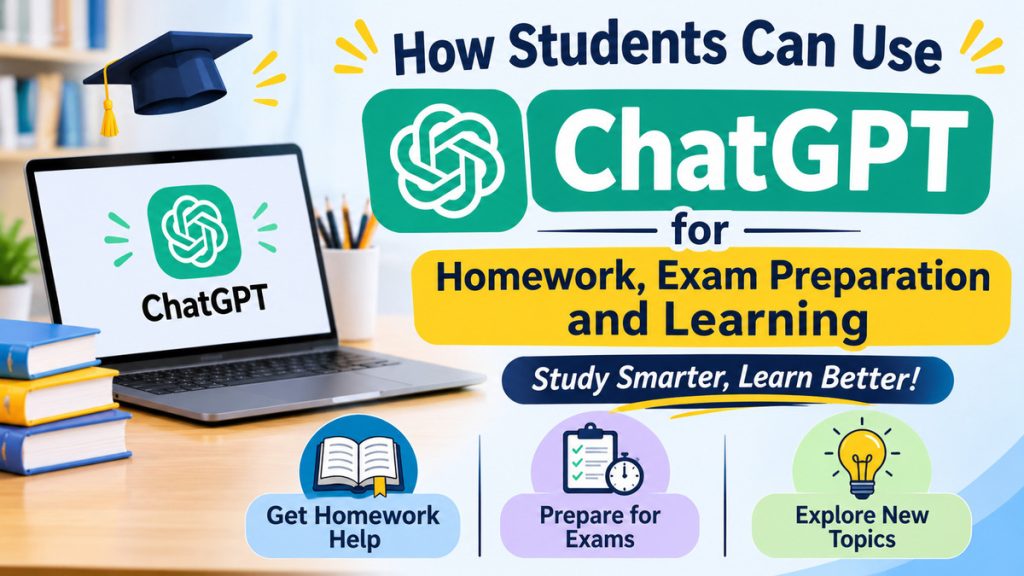
ChatGPT can act like a patient tutor available at any hour, or like a shortcut that lets you finish work without learning anything. Which one it becomes depends on how you use it. This guide shows students how to use ChatGPT to understand topics, finish homework honestly, prepare for exams and learn new skills, along with the risks to watch for.
Key Takeaways
ChatGPT works best when you use it to understand, practise and check your work, not to hand in answers you haven’t understood. Recent research suggests that AI can boost homework scores while lowering exam scores if students outsource the thinking, so the way you use it matters. ChatGPT’s Study Mode and in-chat quizzes are designed for guided learning and are free to use, which makes them a good place to start. Because ChatGPT can be wrong, always verify what it tells you against your textbook, notes or teacher. Finally, follow your school’s rules and be honest about when you used AI.
What the Research Says
Studies show the same tool can help or harm depending on how it is used.
- Finding: In a study of 26,811 Chinese students in grades 7–12, homework scores rose by 18% after AI adoption, and time per assignment fell from about 64 to 45 minutes, but exam scores without AI fell by about 20% within six months.
What it means for you: Faster homework is not the same as learning. - Finding: Students who spent about the same time on homework as non-AI users learned about as much.
What it means for you: The time you spend thinking matters. - Finding: An AI tool that gave direct answers to maths homework was linked to a 17% drop in closed-book maths scores in earlier research.
What it means for you: Copying answers hurts exam performance. - Finding: An AI tutor designed on teaching principles improved college students’ learning in another study.
What it means for you: Guided, questioning use works better than answer-giving. - Finding: The OECD’s Digital Education Outlook 2026 found that using AI without structure raises performance but not real learning.
What it means for you: Add structure: attempt first, then ask.
These findings come from early studies, and some are working papers, so treat them as strong warnings, not final proof.
Before You Start: Rules and Basics
Age and permission
OpenAI’s terms say you must be at least 13, or the minimum age in your country, and users under 18 need a parent or guardian’s permission. If the system thinks you are under 18, or you say you are 13 to 17, you are placed in ChatGPT for Teens, which adds extra protections such as parental controls, Study Hours and break reminders.
Your school’s rules
India has no single national rule on how students may use generative AI in coursework, so rules differ by school, board and college. IIT Delhi, for example, asks that work produced with AI assistance be fully disclosed. Ask your teacher what is allowed for each assignment, and follow it.
Beware of fake apps
Fake ChatGPT websites and apps exist, and some show unsuitable ads. Use only OpenAI’s official website and apps.
ChatGPT’s Learning Tools Explained
ChatGPT’s learning features aim to make it behave more like a tutor and less like an answer machine. Below is what each tool does, how to use it well and what to watch for. Some details come from OpenAI’s own announcement, and others from third-party reviews, so features and availability may differ on your account.
1. Study Mode
What it is
Study Mode is a setting that turns a normal ChatGPT conversation into guided learning. OpenAI launched it on 29 July 2025. Instead of giving a finished answer straight away, it asks about your goal and level, then helps you work through the problem step by step.
What it does
OpenAI describes several behaviours built into it:
- Interactive prompts. It uses Socratic-style questions, hints and self-reflection prompts so that you do some of the thinking.
- Scaffolded responses. It breaks a topic into smaller parts and builds up gradually, so you aren’t overwhelmed.
- Personalised level. It tailors explanations to your skill level and learning objective.
- Knowledge checks. It uses quizzes and open-ended questions, with feedback, to test whether the idea stuck.
- Flexibility. You can toggle it on and off during a conversation.
What to know
- It is free and available on all plans, including the free one, on web, iOS and Android.
- It runs on custom system instructions, not a separate model, so it works with the models on each plan.
- OpenAI designed it with college students in mind, but it is open to high school students too.
- You can turn it off, and it may not stop you from asking for a direct answer, so your own discipline matters. Teen accounts have an optional parental setting that can start new chats in Study Mode.
How to get the most from it
Tell it your class, the topic and what you find hard. Then ask it to work one step at a time. A useful prompt is: “Use hints and ask one question at a time. Wait for my attempt, and don’t reveal the full solution too early.”
2. Quizzes and Flashcards
What they are
Reports say ChatGPT added in-chat quizzes in August 2026 and saved flashcard decks in September 2026. One review says flashcards work on every plan and quizzes on every consumer plan and Edu. You can also ask for quizzes and flashcards in an ordinary chat, which has long worked as a prompt.
Why they matter
Re-reading notes is a weak way to study. Quizzes and flashcards support active recall, where you pull an answer from memory, which tends to strengthen learning more than passive review. They also show you what you don’t know yet, so you can focus your time.
How to use them well
- Ask for questions one at a time and answer before looking at feedback.
- Ask for a mix of easy and hard questions, and for explanations of any you get wrong.
- Turn mistakes into flashcards, then revisit them after a day, a week and two weeks.
- Check flashcards against your textbook, because ChatGPT can make errors.
3. File and Image Uploads
What it does
Where uploads are available, you can share notes, a textbook page or a photo of a problem. Study Mode can work with uploaded course files and problem images, and ChatGPT can then base explanations and questions on your material.
Benefits
- The help follows your syllabus and your teacher’s examples, not just general knowledge.
- You can ask it to quiz you on your own notes or explain a diagram.
Cautions
- Availability depends on your plan and chat.
- Check photos for personal details before uploading. ChatGPT for Teens reminds users to check handwritten notes for sensitive information before sharing.
- Uploaded text can still be misread, so double-check anything important.
4. Memory
What it does
Optional memory can keep your learning preferences and goals across sessions, such as your class level, the exam you are preparing for or the way you like explanations. That means you don’t have to repeat yourself in every chat.
Cautions
- It is optional, so you can leave it off.
- Think carefully about what personal information you are happy for ChatGPT to remember.
- Review and manage what it remembers in your settings.
5. Study Hours and Teen Protections
What they are
OpenAI introduced ChatGPT for Teens on 18 August 2026. If the system estimates someone is under 18, or they state an age between 13 and 17, they are placed in this version automatically. It includes:
- Parental controls that let a linked parent manage settings for sensitive content, quiet hours, study hours and data.
- Study Hours, which let a parent set the days and times when ChatGPT can be used.
- Break reminders that encourage teens to step away.
- Learning-focused tools, including guiding questions, quizzes and learning visualizations.
- Default protections designed to reduce exposure to content that may be harmful or developmentally inappropriate.
Why it matters
These features help keep AI use balanced with sleep, exams and other activities. They work best alongside open conversations with parents and teachers.
6. Other Features Reported by Reviewers
Some reviews also mention responsible homework reminders and learning visualizations, which are visual aids for understanding difficult concepts. Because these come from third-party descriptions, check whether they appear on your own account.
Which Tool for Which Task?
- Stuck on a concept: Use Study Mode and ask for step-by-step explanations.
- Revising before an exam: Use quizzes and flashcards.
- Working from your own notes: Upload them, if available, and ask for questions.
- Long-term study goals: Use memory carefully.
- Parents wanting structure: Use study hours and parental controls on teen accounts.
Limits to Remember
- ChatGPT can be wrong. Check facts, formulas and dates against your textbook or teacher.
- Tools don’t replace effort. Research suggests that if AI does the thinking, homework scores can rise while exam scores fall.
- Features change. Names, availability and limits differ by plan, country and app version.
- Rules still apply. Follow your school’s policy and be open about when you used AI.
The best way to use these tools is to attempt problems first, let ChatGPT guide and quiz you, and then verify what you learned in your own words.
Using ChatGPT for Homework
Try it yourself first
Attempt every question before you open ChatGPT. Then use it to check, correct and understand. This keeps the thinking effort on your side, which research suggests is what builds learning.
Good and bad ways to use it for homework
Do this:
- Ask for a hint, not the answer.
- Ask it to explain why your answer is wrong.
- Ask for a similar practice problem.
- Ask it to check your steps in a maths solution.
- Use it to understand an example your teacher gave.
Avoid this:
- Pasting a question and copying the full solution.
- Asking it to write your essay or assignment.
- Submitting AI text as your own work.
- Skipping the reading and relying on summaries.
- Using it during a closed-book test or when your teacher has banned it.
Prompts that work for homework
- Get a hint: “I’m stuck on this problem. Give me one hint only, and don’t reveal the answer.”
- Check your work: “Here is my solution. Please point out any mistakes in my steps and ask me to fix them.”
- Understand a concept: “Explain photosynthesis for a Class 10 student using one everyday example, then ask me a question to check my understanding.”
- Practise: “Give me three similar problems of increasing difficulty, one at a time, and wait for my answer.”
- Improve writing: “Read my paragraph and tell me what is unclear. Don’t rewrite it. Just give me three suggestions.”
Using ChatGPT for Exam Preparation
Use active recall, not passive reading
Rereading notes is a weak way to study. Ask ChatGPT to quiz you so you have to retrieve answers from memory.
A study routine
- Map the syllabus: Paste your syllabus and ask for a topic list ordered by importance and difficulty.
- Learn a topic: Ask for an explanation at your level, then summarise it back in your own words.
- Quiz yourself: Ask for 10 questions, one at a time, with feedback after each.
- Find weak spots: Ask which topics your wrong answers point to, then revisit those.
- Make flashcards: Ask for flashcards from your notes, then check them against your textbook.
- Practise past papers: Do real papers on your own, timed, then ask ChatGPT to explain mistakes.
- Review spaced out: Come back to each topic after a day, a week and two weeks.
Prompts for revision
- Quiz: “Quiz me on Chapter 5 of my notes below. Ask one question at a time and wait for my answer.”
- Explain back: “I’ll explain this topic. Interrupt me and correct anything I get wrong.”
- Revision plan: “I have 4 weeks before my exam and 2 hours a day. Make a plan covering these topics, with revision days.”
- Memory aid: “Give me a short mnemonic for this list, then test me on it tomorrow.”
- Weak topics: “Based on the questions I got wrong, which topics should I revisit?”
A sample four-week plan
- Week 1: Learn or relearn every topic; write your own summary notes.
- Week 2: Quizzes and flashcards on each chapter; fix weak areas.
- Week 3: Timed past papers, then review every mistake.
- Week 4: Short revision cycles, mock tests and rest.
Don’t use ChatGPT as a substitute for past papers and your textbook. Use it to find gaps, then close them with real material.
Using ChatGPT for Learning New Things
1. Languages, coding and writing
- Languages: ChatGPT can help with conversation practice, grammar correction and vocabulary quizzes. Check with a teacher or dictionary.
- Coding: It can explain errors, review code and suggest practice projects. Type the code yourself and understand each line.
- Writing: It can give feedback on clarity and structure. Don’t let it write for you.
- Research basics: It can suggest search terms and explain unfamiliar ideas. Find real sources yourself.
- Career exploration: It can describe jobs, courses and entrance exams. Verify details on official sites.
2. Subject-by-Subject Tips
- Maths: Ask for hints and step checks, then redo the problem yourself.
- Science: Ask for explanations of experiments and “why” questions, then quiz yourself.
- English: Ask for feedback on your own writing and for vocabulary practice.
- Social science: Ask for timelines and cause-and-effect maps, then verify dates from your textbook.
- Languages: Practise dialogues and ask it to correct your sentences.
- Computer science: Ask it to explain error messages and test your understanding.
3. Always Check What ChatGPT Tells You
ChatGPT can produce confident but wrong answers, and its own terms warn that output may be inaccurate. Wrong dates, invented quotes, incorrect formulas and made-up sources are common problems.
- Facts and dates: Compare with your textbook or a reliable source.
- Maths and formulas: Re-solve it yourself or test with a calculator.
- Sources and quotes: Search for the source; if you can’t find it, don’t use it.
- Answers that seem odd: Ask ChatGPT to explain its reasoning, or ask your teacher.
- Syllabus fit: Make sure the answer matches your board’s syllabus and marking style.
Privacy and Safety
Protect your personal information by never sharing your full name, address, phone number, school details or passwords with ChatGPT. Before uploading photos of notes or worksheets, check them for personal details, and note that ChatGPT for Teens even reminds users to look over handwritten notes for sensitive information before sharing. Remember that ChatGPT may produce content that is not suitable for all ages, so tell a parent or teacher if something seems wrong. Take regular breaks, and use study hours and break reminders if they are available on your account. If conversations with AI start to feel emotionally heavy, talk to a trusted adult.
Academic Honesty
If your teacher bans AI, don’t use it for that task, and if your teacher allows it for support, use it only as allowed and say how you used it. When you use AI for ideas or feedback, be ready to explain your work in your own words. For a project or essay, write it yourself and never submit AI text as your own. AI detectors can be wrong, so keep your drafts and notes as proof of your own work. Being honest protects you, and if you can explain your answer without ChatGPT, you have probably learned it.
Common Mistakes to Avoid
One common mistake is copying answers, which boosts homework scores but not understanding. Another is believing everything ChatGPT says, so verify facts and sources instead. Don’t use it too early either: try the problem first, then ask. Skipping practice is also a trap, because reading explanations is not the same as solving problems. Ignoring your teacher is risky, since your school’s rules come first. Finally, avoid sharing personal details so your data stays private.
A Note for Parents and Teachers
1. Parents can use parental controls
OpenAI lets a parent link their account to their teen’s account and manage some settings. According to OpenAI’s description of its teen protections, these include settings for sensitive content, quiet hours, study hours and data controls. Teen accounts also have extra protections turned on by default, such as break reminders and safeguards against inappropriate content.
In practice, this means a parent can:
- Set study hours so ChatGPT is available at planned times, which helps keep it from taking over late evenings or exam nights.
- Limit sensitive content so the teen is less likely to see material that isn’t suitable for their age.
- Manage data settings to control how conversations are stored or used.
- Start chats in Study Mode, where one report says a linked parent can make new chats open in Study Mode by default, though this is off unless the parent turns it on.
These controls are a safety net, not a replacement for conversation. They won’t stop a student from copying answers, so they work best alongside the other two points.
2. Check whether learning is real
The key finding behind this advice is that homework scores can mislead. In the study of more than 26,000 Chinese students, AI users finished homework faster and scored higher on it, yet did worse on closed-book exams. Among AI users, those with the highest homework scores were more likely to do worse on exams, so a good homework mark stopped being a reliable sign of learning.
The same research suggests two practical checks:
- Watch the time actually spent on homework. Students who spent about as long on homework as non-AI users learned about as much, which suggests that the time spent thinking is what matters. If an assignment that should take an hour is done in twenty minutes with perfect answers, that is worth a conversation, not an accusation.
- Use short, in-class quizzes. A quick closed-book quiz on recent homework topics shows what a student has absorbed. It is quicker and fairer than trying to catch AI use, and AI detectors can wrongly flag honest work.
The aim is to check understanding, not to police every question. A student who can explain how they solved a problem has learned it.
3. Guide students instead of banning or allowing everything
The passage ends by saying a guided approach works better than a total ban or unlimited use. Here is why each extreme falls short:
- A total ban is hard to enforce, may push use out of sight and means students miss the benefits of a patient tutor, including explanations, practice questions and feedback.
- Unlimited use invites the shortcut pattern, where the tool does the thinking and the student collects the marks.
A guided approach sits between the two. It might include:
- Attempt first. The student tries the problem before opening ChatGPT.
- Explain your reasoning. The student explains the answer in their own words, to a parent, teacher or even to ChatGPT.
- Use hints, not answers. The student asks for hints, feedback and practice questions.
- Keep supervised work time. Researchers suggest combining supervised homework time with guidance on productive AI use and information about the learning losses that come from outsourcing.
- Be clear about the rules. Agree what counts as acceptable use for each task, in line with the school’s policy.
Why this matters
The central point is that the same tool can help or hurt. Parents and teachers can’t control every interaction, but they can set limits through parental controls, check real understanding through time and short quizzes, and teach students how to use AI as a tutor and not as an answer machine.
Frequently Asked Questions
1. Is it cheating to use ChatGPT for homework?
It depends on your school’s rules and how you use it. Asking for hints or explanations is often fine if allowed, while submitting AI-written work as yours is usually not. Ask your teacher and be open about your use.
2. Is ChatGPT free for students?
Study Mode is available on all ChatGPT plans, including the free one. Some paid features and student offers vary by plan and country, so check OpenAI’s current pricing.
3. What is Study Mode?
It makes ChatGPT behave like a tutor, asking guiding questions, giving hints and quizzing you instead of handing over answers. You can switch it on or off.
4. Can ChatGPT help me crack competitive exams?
It can help you understand topics, create practice questions and find weak areas, but it can’t replace the textbook, past papers and your own practice. Always check answers against trusted sources.
5. Can I use ChatGPT if I’m under 18?
Users under 18 need a parent or guardian’s permission, and teens are placed in a version with extra protections. Ask a parent before signing up.
Final Thoughts
ChatGPT can be a patient tutor that explains, quizzes and gives feedback, but it only helps if you do the thinking. Try problems first, ask for hints, quiz yourself, verify facts and be honest about how you used it. Used this way, it can make studying more effective. Used as a shortcut, it risks higher homework scores and weaker exam results.
Read More: CBSE Date Sheet 2027 for Class 10 and 12: Complete Exam Schedule
📚 Related Articles




👉 You May Also Read
📚 Related Articles
- Best Courses After Class 10 for CBSE Students Who Do Not Want to Choose Science in 2027
- CBSE Date Sheet 2027 for Class 10 and 12: Complete Exam Schedule
- Coaching vs Self-Study: Which is Best in 2026 for Competitive Exams?
- NEET & JEE Preparation Guide for State Board Students
- Why Self-Discipline is More Important Than Motivation for Students
🔥 Popular Posts


📌 Explore Categories
- About India
- Artificial Intelligence & Machine Learning
- Calendar
- Career
- Counselling
- Current Affairs
- Economy
- Education
- English Grammar
- Exams
- Festival
- Health and Fitness
- Hindi Sahitya
- History
- Intelligence Agency
- International Personality
- Know India
- Knowledge
- Maths
- Maxim
- Moral Stories
- Nature
- NEWS
- Olympiad
- Others
- Personal Finance
- Personality Development
- Politics
- Scholarship
- Science and Environment
- Sports
- States of India
- Study Abroad
- Study Tips
- Technology
- The Greatest Indian
- Uncategorized