
Best Computer Skills to Learn for Government Jobs in India
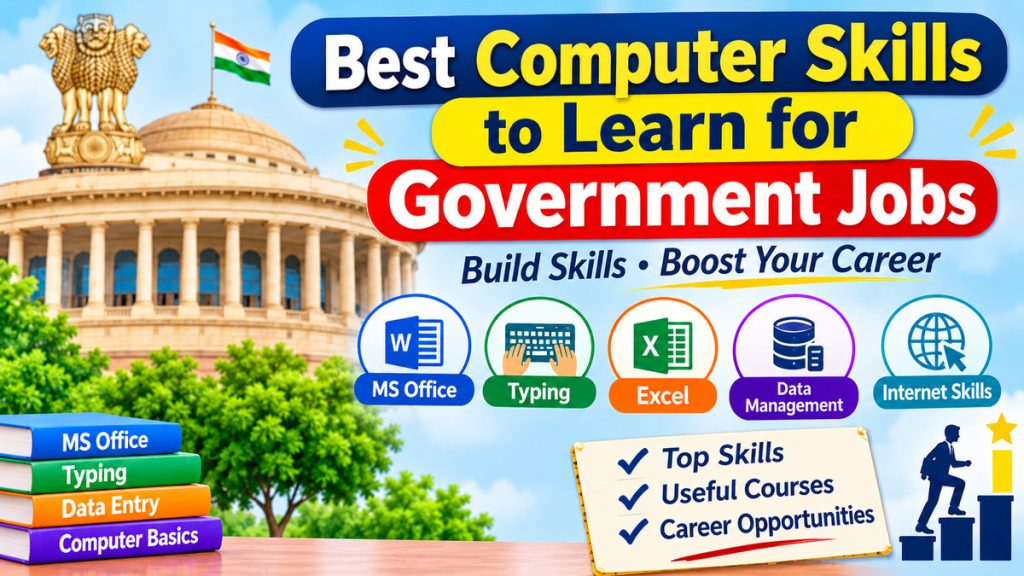
With the advent of the digital world, computer knowledge is a requirement of many Government jobs in India. Basic computer skills can be useful for candidates applying for clerical jobs, banking jobs, railway recruitment, state government recruitment and even other types of jobs.
Government departments now utilize computers to keep records, process applications, prepare reports and manage official documents. Consequently, candidates having practical computer knowledge are likely to have an advantage in fulfilling the requirement of some government jobs.
But the qualification of the computer is not mandatory in all government jobs. Skills required depends on the post and notification for recruitment issued by the official body of the department.
This article will detail the most useful computer skills to learn, the courses offered and the government career opportunities that will benefit from these skills.
Quick Overview: Skills That Matter Most
| Skill | Why it matters | Typical posts |
| Basic computer operation | Needed to qualify for many posts | Clerks, assistants, office staff |
| Typing (English and Hindi) | Tested directly in skill tests | LDC, clerk, DEO, stenographer |
| MS Office (Word, Excel, PowerPoint) | Daily office work | Almost all desk jobs |
| Internet, email and online forms | Applications, official communication | All posts |
| Digital government services | Day-to-day public service work | Revenue, panchayat, welfare posts |
| Data entry and accuracy | Records and databases | DEO, clerk, bank staff |
| Cyber safety | Protects official data | All posts |
| Programming and IT skills | Technical roles | Technical assistants, IT officers |
1. Basic Computer Knowledge
Basic computer operation is the foundation for everything else. It covers using Windows, creating and organising files and folders, connecting printers and scanners, and understanding hardware, software and storage.
Computer literacy as an eligibility requirement
Some recruitments make computer knowledge a condition of eligibility. IBPS Clerk is a good example: candidates must show either a certificate, diploma or degree in computer operations or language, or proof that they studied Computer or IT as a subject. This proof is generally checked at document verification, not uploaded during the online application. If your marksheets already show a computer subject, you may not need a separate certificate, but check the notification for your exam.
The CCC certificate
The Course on Computer Concepts (CCC) from NIELIT is a popular basic certificate. Key facts:
| Item | Detail |
| Conducted by | NIELIT, under MeitY |
| Course length | About 80 hours (some sources say 90) |
| Eligibility | No minimum qualification required |
| Exam | Online, multiple-choice, 100 marks, no negative marking |
| Passing mark | 50% |
| Grades | S (85%+), A, B, C, D |
| Fee | Roughly ₹500; confirm on the official portal |
Some state-level recruitments reportedly make CCC compulsory, so check your target exam’s notification. Apply through NIELIT’s student portal and read more at the NIELIT website.
2. Typing Skills
Typing is the most commonly tested computer skill in government recruitment. Many posts do not just ask for a computer certificate but require a typing test with a minimum speed and accuracy.
Typical typing requirements
| Post / exam | English speed | Hindi speed | Notes |
| SSC CHSL (LDC/JSA) | 35 WPM | 30 WPM | 10,500 key depressions per hour (English) |
| SSC CHSL (DEO) | 8,000 key depressions/hour | n/a | English only |
| RRB NTPC (Senior Clerk cum Typist) | 30 WPM | 25 WPM | 10 minutes; no spell check |
| High Court Jr. Scale Stenographer (Himachal example) | 40 WPM typing, 80 WPM shorthand | 30 WPM typing, 70 WPM shorthand | Computer-based test |
| Court clerk (varies by court) | About 30–40 WPM | Varies | Check each court’s notice |
Requirements differ for every recruitment, so use these as rough benchmarks only. Most tests also expect accuracy of around 90% to 95%.
Hindi typing
Many tests let you choose Hindi, usually in the Mangal (Unicode) font with the InScript or Remington layout. Some recruitments specify a font such as Kruti Dev. Check the notification for the exact keyboard and font, and practise on that setup.
How to improve
- Learn touch typing and keep your fingers on the home row.
- Aim for 95% accuracy first, then raise your speed.
- Practise timed tests of 10 to 15 minutes, matching the real exam format.
- Track speed and errors, and review repeated mistakes such as extra spaces, wrong capitals and missed punctuation.
- Use a practice tool such as TypingMaster, which has settings for government test formats.
3. MS Office (Word, Excel and PowerPoint)
Office software is used in almost every government desk job.
| Tool | Skills to learn | Used for |
| MS Word | Formatting, tables, headers and footers, mail merge, page layout, saving as PDF | Letters, notices, reports, office orders |
| MS Excel | Formulas (SUM, IF, VLOOKUP), sorting, filters, pivot tables, charts | Records, budgets, attendance, data analysis |
| MS PowerPoint | Slides, templates, charts | Presentations and training sessions |
| Outlook or webmail | Sending, attaching, organising mail | Official communication |
Excel deserves the most practice time. Clean data entry, formulas and basic charts are useful in banks, accounts sections and administrative offices. Free alternatives like LibreOffice work too, and most skills carry over.
4. Internet, Email and Online Applications
Recruitment itself runs online, so basic internet skills matter before you even get a job.
- Create and manage an email account and keep your password safe.
- Fill online forms accurately and upload photos, signatures and documents in the required size and format.
- Scan, compress and convert documents to PDF.
- Make online fee payments safely.
- Use official portals, such as IBPS, RRB Apply and SSC.
5. Digital Government Services
Many posts, especially in revenue, panchayat and welfare departments, involve helping citizens use digital services. Knowing these platforms helps in both interviews and day-to-day work:
| Platform | What it does |
| DigiLocker | Stores and shares verified digital documents |
| UMANG | Single app for many government services |
| Digital India | Government’s digital initiatives |
| GeM | Government e-Marketplace for public procurement |
| India.gov.in | National portal with links to department sites |
6. Data Entry and Database Management
Data entry involves entering, updating and maintaining information using computer systems.
Government departments handle large amounts of information related to citizens, employees, applications and official records.
Useful skills include:
- Entering information accurately.
- Creating and updating spreadsheets.
- Maintaining digital records.
- Organising files and folders.
- Checking information for errors.
- Understanding basic database concepts.
These skills can be helpful for data entry operators, clerical assistants and administrative staff.
7. Cyber Safety Basics
Government offices handle sensitive citizen data, so security awareness is increasingly valued. Learn to:
- Spot phishing emails, fake job offers and suspicious links.
- Use strong, unique passwords and two-step verification.
- Keep software updated and avoid pirated programs.
- Report cybercrime at cybercrime.gov.in.
8. Advanced Skills for Technical Posts
Technical and IT-linked posts often ask for more than office skills.
| Skill | Useful for |
| Programming basics (Python, C, Java) | Technical assistant, scientific and IT posts |
| Databases and SQL | Data and records management |
| Networking and hardware basics | IT support roles |
| Accounting software such as Tally | Accounts and finance posts, where listed |
| Basic AI tools and data analysis | A growing advantage for research and analytical roles |
Free courses are available on SWAYAM and NPTEL. NIELIT also runs higher-level courses such as O, A, B and C Level, and NIELIT certificates are recognised by MeitY.
Which Skills for Which Jobs?
| Job type | Skills to prioritise |
| Bank clerk | Computer literacy proof, typing, MS Office, basic banking software |
| Railway clerk and typist | Typing (English/Hindi), MS Office |
| Court and office clerk | Typing, Word, data entry |
| Stenographer | High-speed typing, shorthand, Word |
| Data entry operator | Key-depression speed, accuracy, Excel |
| Revenue and panchayat staff | Basic computer skills, digital government platforms |
| Technical and IT posts | Programming, databases, networking |
An 8-Week Learning Plan
| Weeks | Focus | Goal |
| 1–2 | Computer basics, Windows, files, internet | Comfortable with daily computer use |
| 3–4 | Typing practice plus Word | 25–30 WPM at 95% accuracy |
| 5–6 | Excel formulas, sorting, charts | Handle basic spreadsheets |
| 7 | Digital portals and cyber safety | Use DigiLocker, UMANG and secure practices |
| 8 | Mock typing tests and CCC revision | Ready for the skill test and certificate exam |
Are Computer Certificates Compulsory for Government Jobs?
No. A computer certificate is not compulsory for every government job in India.
Some recruitment notifications require candidates to have a recognised computer qualification, while others test computer knowledge through a written examination or practical skill test.
For example:
- Certain clerical posts may require computer knowledge or a typing test.
- Some banking examinations include computer awareness in their syllabus.
- Technical IT positions may require specialised computer or engineering qualifications.
- Some government jobs do not require any separate computer certificate.
Candidates should always read the official recruitment notification before enrolling in a computer course.
Choose the Right Computer Course
Before joining a computer training programme, candidates should consider their educational background and the type of government job they want.
- For 10th and 12th-pass candidates: Start with basic computer knowledge, MS Office and typing.
- For graduates: Focus on Excel, data entry, computer fundamentals and recognised computer application courses where required.
- For banking aspirants: Practise computer awareness, internet usage, MS Office and digital banking concepts.
- For engineering graduates: Consider programming, databases, networking and other technical skills.
- For candidates interested in clerical jobs: Give more importance to typing speed, accuracy, Word and Excel.
Learning practical skills is generally more useful than collecting multiple certificates without understanding how to use the software.
Common Mistakes to Avoid
- Ignoring typing until the last moment. Speed takes weeks to build.
- Chasing speed over accuracy. Errors can lower your score or fail you.
- Not checking the exact requirement. Each notification sets its own speed, language, font and certificate rules.
- Using only one keyboard layout. Practise the layout used in the test.
- Relying on unofficial sources for certificates. Use recognised institutes and official portals.
Frequently Asked Questions
1. Which computer skills are most important for government jobs?
MS Office, MS Excel, typing, data entry, internet browsing, email communication, and basic computer operations are some of the most useful skills for government jobs.
2. Is computer knowledge compulsory for government jobs?
Computer knowledge is required for certain government posts, especially clerical, data entry, and administrative roles. However, the requirements vary depending on the job notification.
3. Which computer course is best for government job preparation?
A basic computer course covering MS Office, Excel, typing, internet usage, and data management is a good starting point for government job aspirants.
4. Is MS Excel useful for government jobs?
Yes. MS Excel helps employees manage records, prepare reports, organize information, perform calculations, and maintain official data.
5. Is typing speed important for government jobs?
Yes. Typing speed and accuracy are important for clerical, stenographer, data entry, and other computer-based government positions. Some recruitment exams also include typing tests.
6. Can I get a government job after completing a basic computer course?
A basic computer course can improve your skills and help you meet certain computer-related eligibility requirements. However, you must also satisfy the educational qualifications and selection criteria of the particular government job.
7. Which computer skills are useful for SSC, banking, and railway jobs?
MS Office, Excel, typing, internet usage, email communication, and basic computer knowledge are useful for many SSC, banking, and railway positions. Specific requirements depend on the recruitment notification.
8. Do government job aspirants need programming skills?
No. Programming languages such as Python, Java, and C++ are not compulsory for most general government jobs. However, they can be useful for technical and IT-related government positions.
9. How long does it take to learn basic computer skills?
Most beginners can learn basic computer operations, MS Office, internet usage, and typing within 2–3 months with regular practice. Advanced skills may require additional training.
10. Are free online computer courses useful for government job preparation?
Yes. Free online courses, tutorials, and practical exercises can help candidates learn computer fundamentals, MS Office, Excel, and typing without spending much money.
Final Thoughts
Strong computer skills can improve your chances of selection and make you more effective on the job. Start with the basics, build typing speed and accuracy, learn Word and Excel, and get comfortable with government portals. Then add a certificate like CCC if your target exam asks for one. Always check the official notification for the exact requirement.
Read More: Government Jobs Without UPSC or SSC: Career Options, Eligibility and Opportunities in India
📚 Related Articles




👉 You May Also Read
📚 Related Articles
- Government Jobs Without UPSC or SSC: Career Options, Eligibility and Opportunities in India
- How to Build a Career in Data Analytics Without a Computer Science Degree
- Business After 30 or a Stable Job: Which Path Should You Choose?
- How to Return to Work After a Career Break: Skills, Jobs and Preparation in 2026
- Best Career Options After Class 12 for Average Students in 2026
🔥 Popular Posts
📌 Explore Categories
- About India
- Artificial Intelligence & Machine Learning
- Calendar
- Career
- Counselling
- Current Affairs
- Economy
- Education
- English Grammar
- Exams
- Festival
- Health and Fitness
- Hindi Sahitya
- History
- Intelligence Agency
- International Personality
- Know India
- Knowledge
- Maths
- Maxim
- Moral Stories
- Nature
- NEWS
- Olympiad
- Others
- Personal Finance
- Personality Development
- Politics
- Scholarship
- Science and Environment
- Sports
- States of India
- Study Abroad
- Study Tips
- Technology
- The Greatest Indian
- Uncategorized